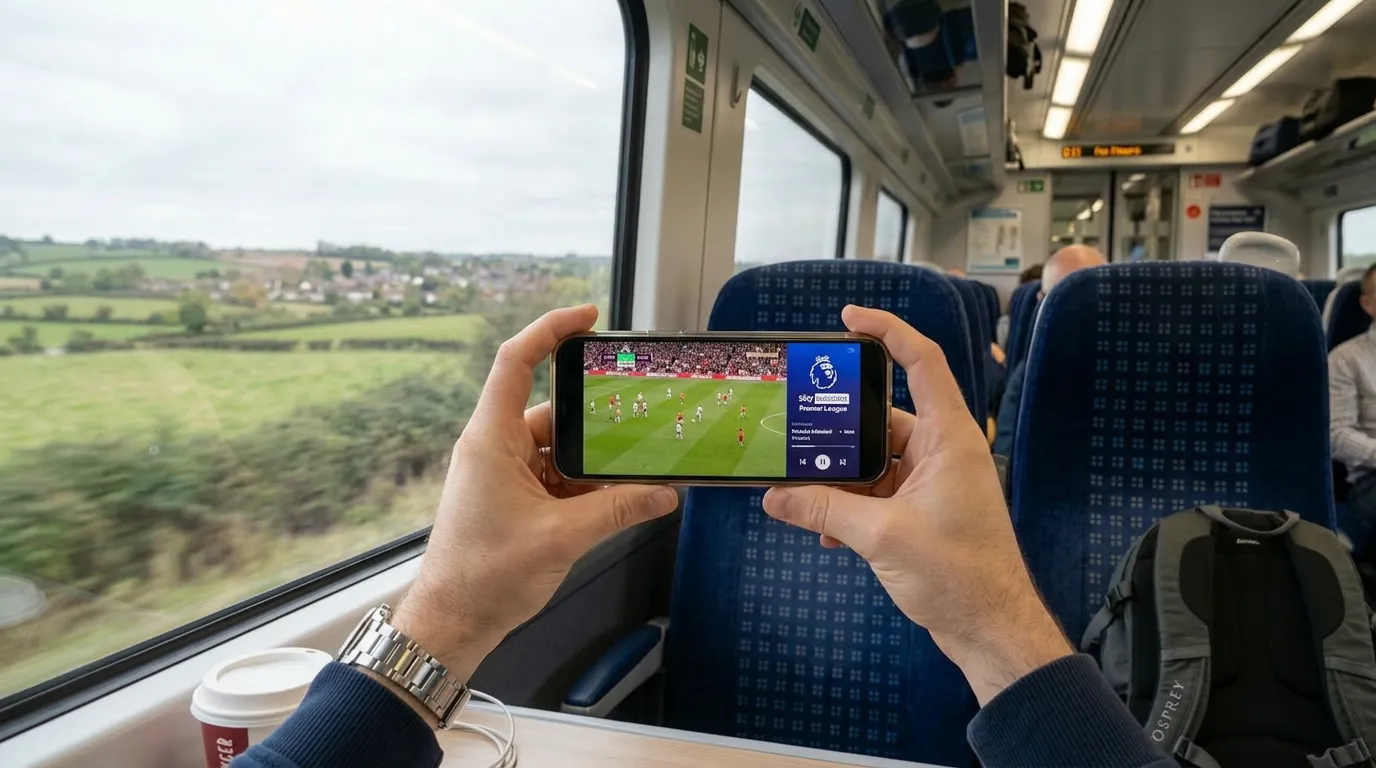
Your phone is already the most powerful screen in your pocket. It plays Netflix, YouTube, and TikTok without a second thought. So why are you still only watching IPTV on your telly?
IPTV on phone in the UK works brilliantly. Whether you are on the train, on your lunch break, or lying in bed while someone else hogs the living room TV, your phone gives you instant access to every channel your IPTV subscription includes. Live sport, catch up, VOD — all of it, right in your hand.
Best IPTV Apps for Phone in the UK
Android Phones
IPTV Smarters Pro — the most popular mobile IPTV app. Clean interface, Xtream Codes login, live TV and VOD sections clearly separated. Download it free from the Google Play Store, enter your provider’s credentials, and you are watching within a minute.
TiviMate — yes, it works on phones too. The layout adapts to smaller screens and the EPG is still usable. If you already use TiviMate on your TV, using the same app on your phone keeps everything consistent.
GSE Smart IPTV — a strong alternative with M3U and Xtream Codes support. Good for people who switch between Android and iOS because it works on both platforms.
iPhone and iPad
IPTV Smarters Pro — also available on iOS through the App Store. Same functionality as the Android version. Enter your credentials and go.
GSE Smart IPTV — one of the best iOS IPTV options. Supports M3U playlists, has a built-in player, and handles live streams well on both iPhone and iPad.
IPTVX — a clean, iOS-native player designed specifically for Apple devices. Smooth performance and a simple interface that fits the iOS design language.
How to Set Up IPTV on Your Phone
The process is the same regardless of which phone you use.
Download an IPTV app from the Google Play Store or Apple App Store. Open the app. Select Add Playlist or Login. Enter the Xtream Codes credentials or M3U URL from your IPTV provider. Wait for channels to load. Start watching.
That is genuinely it. No sideloading, no special settings, no configuration needed. If you can install an app and type in a username, you can watch IPTV on your phone. If you are setting up IPTV on your smart TV as well, check out the IPTV smart TV UK guide for a full walkthrough.
For the full setup process across all devices, see our IPTV beginner guide.
Watching IPTV on Mobile Data vs WiFi
IPTV streaming uses data — and live TV streams use more than you might think.
An SD stream uses roughly 500MB per hour. An HD stream uses about 1.5GB per hour. A 4K stream can eat through 3GB or more per hour.
If you are on WiFi at home, data is not a concern. If you are out and about on mobile data, keep an eye on your usage. Most UK mobile plans offer between 10GB and unlimited data — watching IPTV on the go is perfectly fine on unlimited plans but can chew through a 10GB allowance in a few hours of HD viewing.
A practical tip: most IPTV apps let you choose stream quality. Drop it to SD when you are on mobile data and save HD for WiFi. The picture quality on a phone screen is still perfectly watchable in SD. If buffering is an issue on any device, see the IPTV buffering fix guide for solutions.
Does Your IPTV Provider Support Mobile Properly?
Not every provider works well on phones. Some services only test their streams on TVs and Firesticks, leaving mobile users with broken EPGs, streams that refuse to start, or apps that crash when switching channels quickly.
If you want an IPTV provider that works properly on your phone as well as your TV, Golden TV is worth a look. Their streams work cleanly on both IPTV Smarters and GSE Smart IPTV across Android and iOS. The quality adapts well to smaller screens and the EPG loads correctly on mobile apps — which is not something every provider can say.
Send them a message on WhatsApp to test it on your phone before committing.

Frequently Asked Questions
Can I watch IPTV on my phone for free?
The apps are free. The IPTV subscription is not. You need an active subscription with a provider to get access to channels. Subscriptions typically cost between eight and twenty pounds per month.
Does IPTV work on iPhone?
Yes. Apps like IPTV Smarters Pro and GSE Smart IPTV are available on the Apple App Store and work well on all modern iPhones.
Can I cast IPTV from my phone to my TV?
Yes. Most IPTV apps support Chromecast. You can also use screen mirroring on Android or AirPlay on iPhone to display your phone’s IPTV stream on a larger screen. For the best experience on your TV directly, see the IPTV channels UK guide.
Will IPTV drain my phone battery?
Streaming video does use battery. Expect about two to three hours of continuous viewing before needing a charge on most modern phones. Plugging in or using a power bank solves this if you are watching for extended periods.
Is the picture quality good on a phone?
Modern phones have excellent screens. HD IPTV streams look sharp and clear on phone displays. 4K is overkill for phone viewing — HD is the sweet spot.
Can I use IPTV on my phone and TV at the same time?
This depends on your subscription plan. Most providers offer multi-device plans that allow two or more simultaneous streams. Check your plan details.
Wrapping Up
IPTV on your phone in the UK is effortless to set up and genuinely useful. Commuting, travelling, or just watching from bed — your entire channel lineup goes wherever you go.
For more on choosing the right provider, see our IPTV providers UK comparison and our IPTV vs cable TV guide.
This website is for informational purposes only. We may recommend third-party services based on user feedback and testing. All trademarks belong to their respective owners.